SFTP - SSH File Transfer Protocol
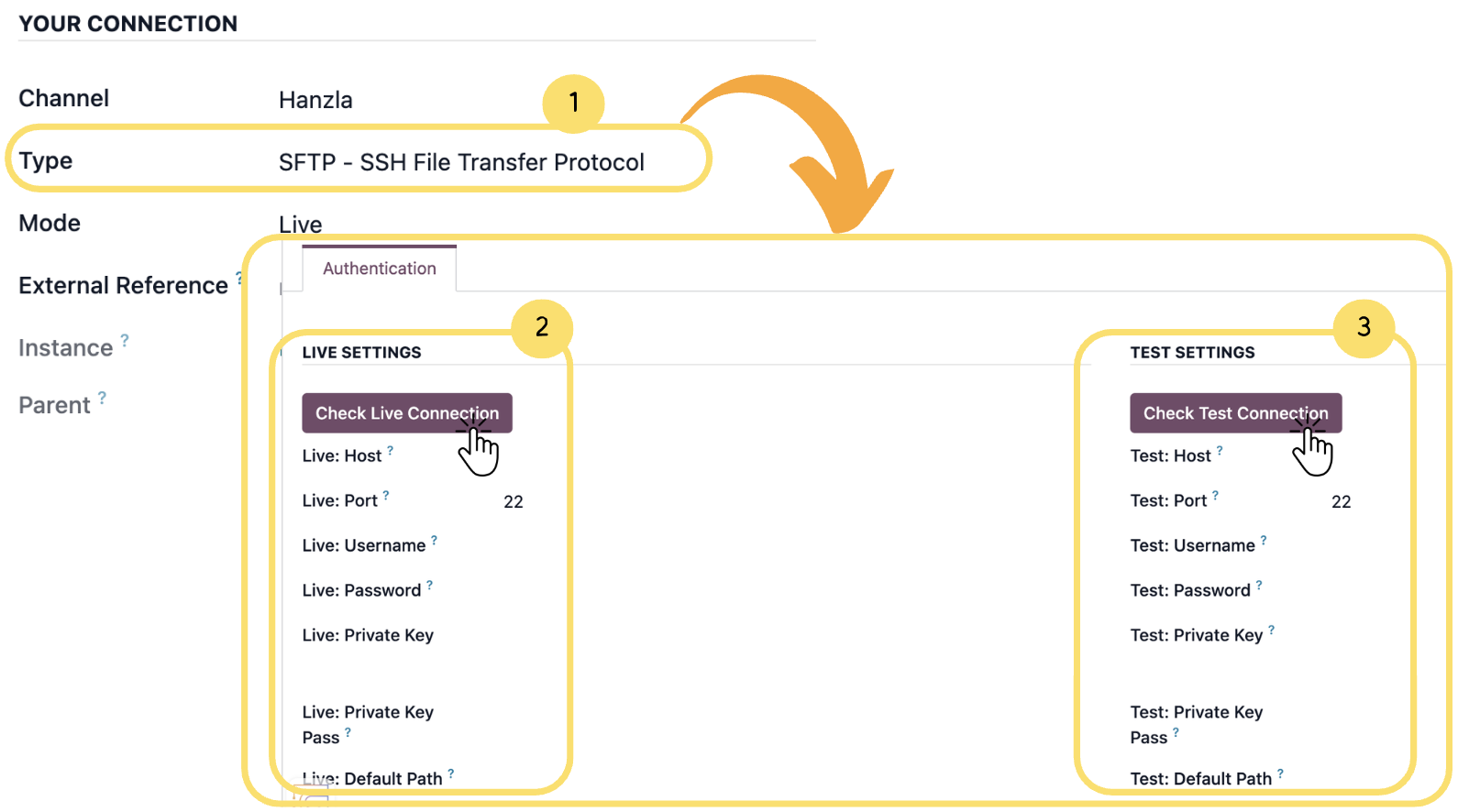
After selecting the appropriate type, complete the required settings and use the available connection checks to verify that the connector is working correctly in both Test and Live modes before proceeding.
1. Make sure the Type is set to SOAP - Simple Object Access Protocol
2. After completing the required fields, click Check Live Connection to validate the connection using live credentials.
3. Click Check Test Connection to verify the configuration using test credentials before using it in the live environment.
Connection Check Results
- If the connection is successful, a confirmation pop-up message will appear indicating that the connector is working correctly.
Unlock the full Connecta experience
Join Connecta and discover the number one connection suite for Odoo. Access full documentation, guides, and integration knowledge.
Join Connecta now