File Uploads
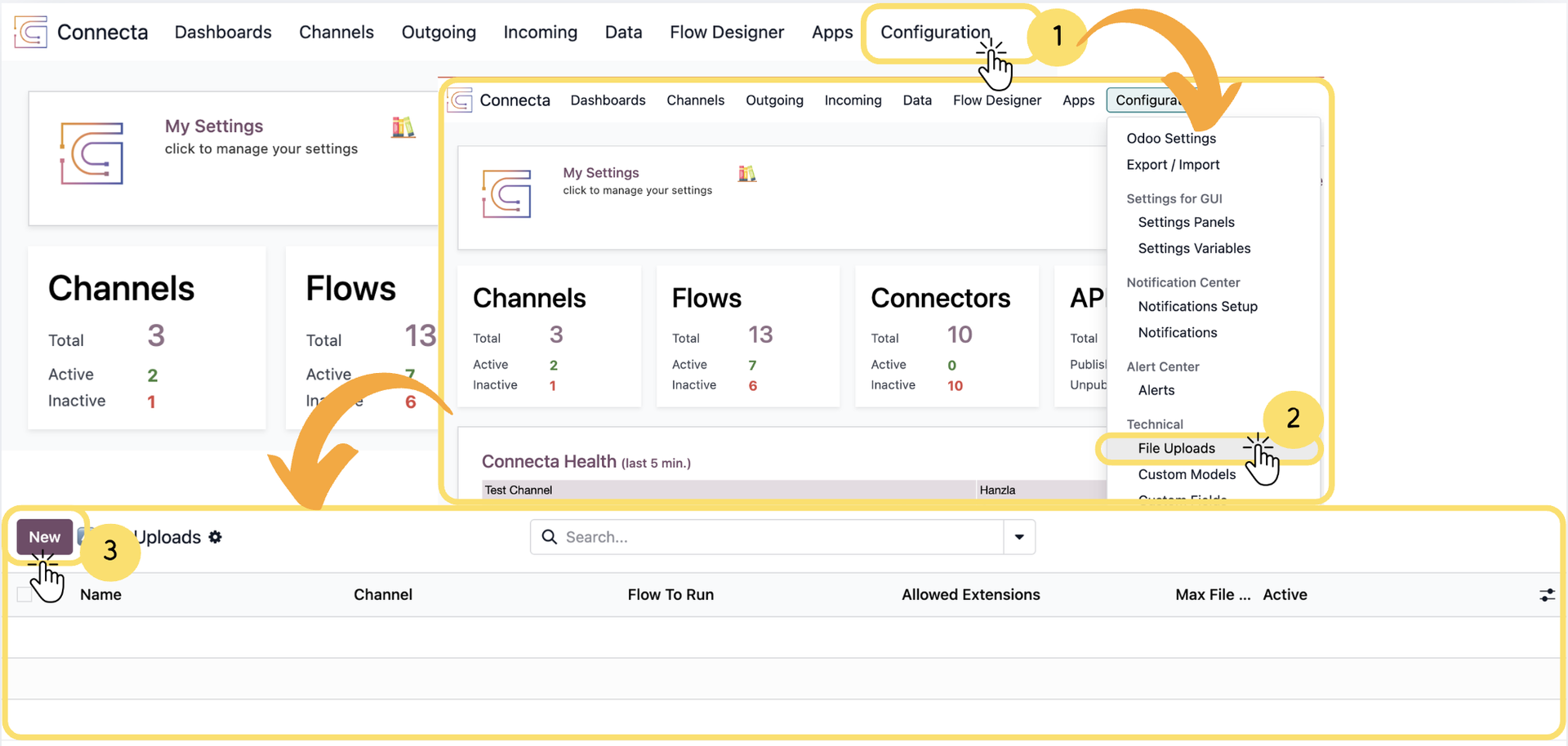
The File Upload feature allows users to upload files directly through the Connecta Upload application and automatically trigger a Flow to process those files. During configuration, you define the Flow that should execute, specify the supported file formats and size limits, provide upload instructions for users, and control whether the upload configuration is available for use.
Follow the steps below to create a new File Upload definition and configure how uploaded files are processed within Connecta.
1. From the top navigation bar, click Configuration.
2. Under the Technical section, select File Uploads.
3.
Unlock the full Connecta experience
Join Connecta and discover the number one connection suite for Odoo. Access full documentation, guides, and integration knowledge.
Join Connecta now