How to Set Up an Outgoing Connector Connection
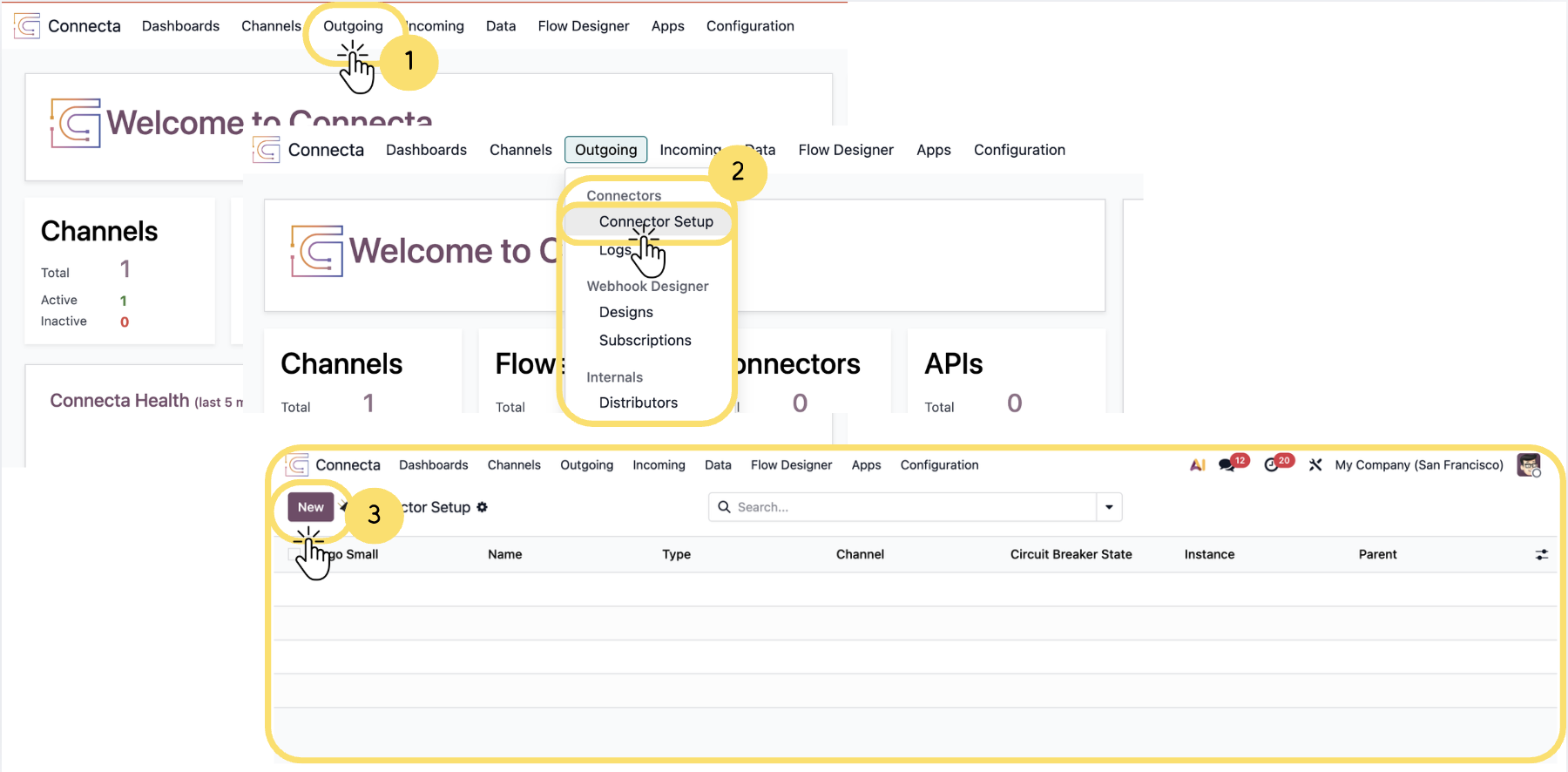
This section explains the two available methods for attaching a outgoing connector to your project or workflow, including manual configuration and using the Public Connector Library. It also provides an overview of the key configuration areas such as connection settings, authentication, rate limiting, and operational controls required to ensure stable, secure, and efficient integration.
1. From the top navigation bar, click on the Outgoing tab.
2. From the Outgoing dropdown menu, click on Connector Setup under the Connectors section.
3.On the Connector Setup page, click theNewbutton located at the top left.
Unlock the full Connecta experience
Join Connecta and discover the number one connection suite for Odoo. Access full documentation, guides, and integration knowledge.
Join Connecta now