Import / Export Flow
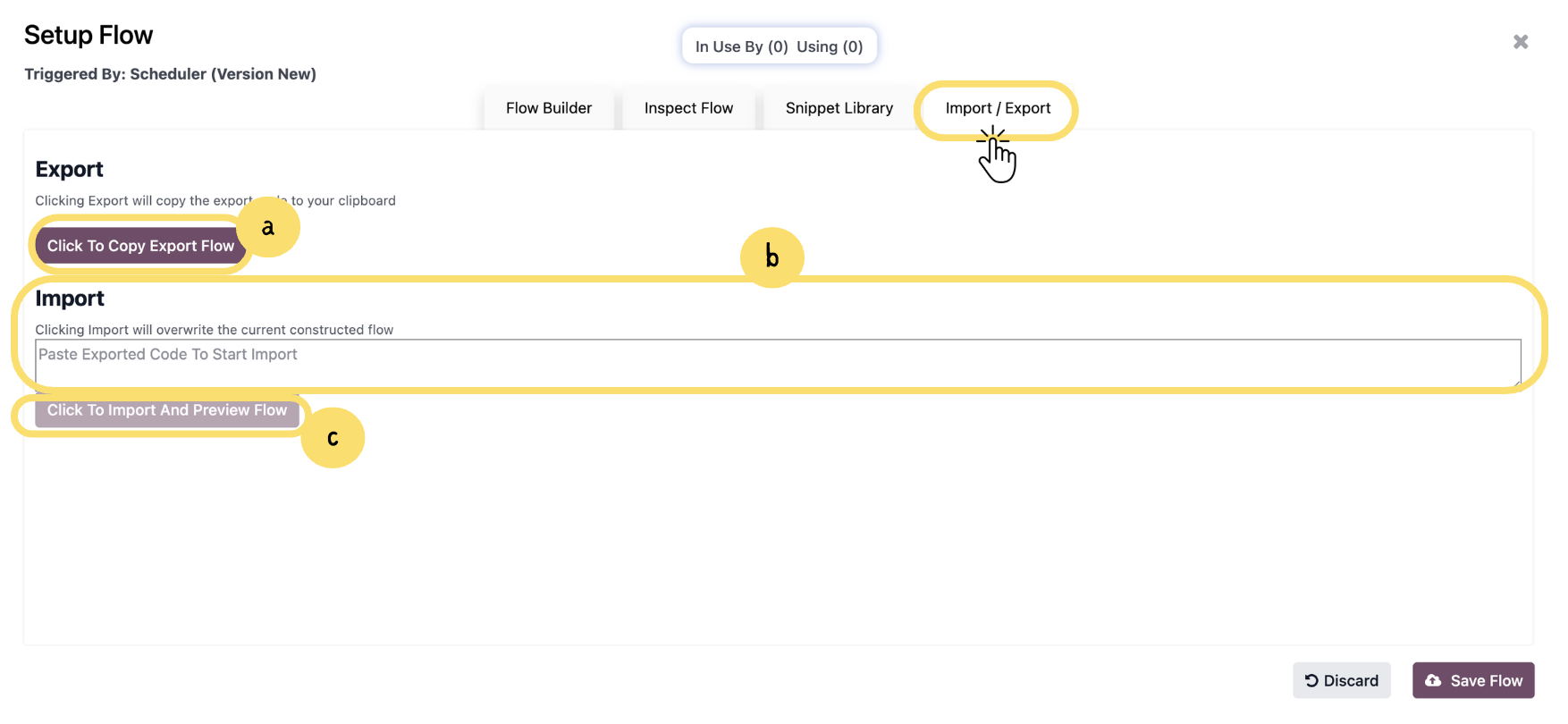
This section explains how to use the Import/Export feature to reuse or transfer flows. You can copy an existing flow configuration, import it into another environment, and preview it before applying, making it easier to manage backups and share flow setups.
a. Click “Click To Copy Export Flow” to copy the complete flow configuration. This allows you to reuse the same flow in another environment or keep it as a backup.
b. Paste the exported flow code into the provided input field. This will prepare the system to recreate the same flow structure from the copied configuration.
Unlock the full Connecta experience
Join Connecta and discover the number one connection suite for Odoo. Access full documentation, guides, and integration knowledge.
Join Connecta now