How to Create a New Field Mapping in Connecta
Last updated
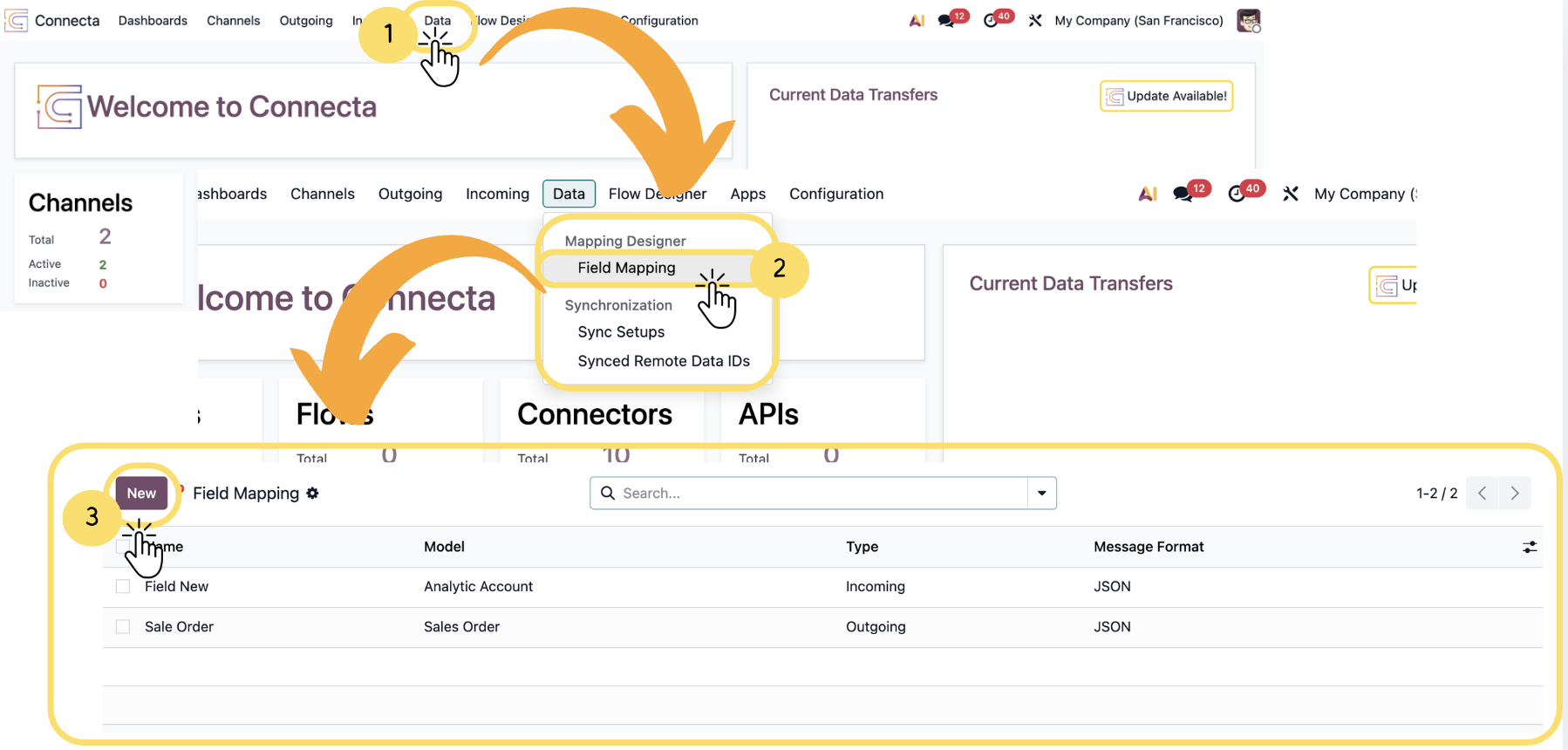
The Field Mapping feature lets you create and manage data mappings for different channels. You can define a mapping, choose its type and format, select a data model, and add optional details to simplify setup and identification.
1. Navigate to the Data section from the top navigation menu.
2. From the dropdown menu, select Mapping Designer → Field Mapping to open the field mapping interface.
3. Click the New button to create a new field mapping configuration.
Unlock the full Connecta experience
Join Connecta and discover the number one connection suite for Odoo. Access full documentation, guides, and integration knowledge.
Join Connecta now