How to Create a New Event Distributor in Connecta
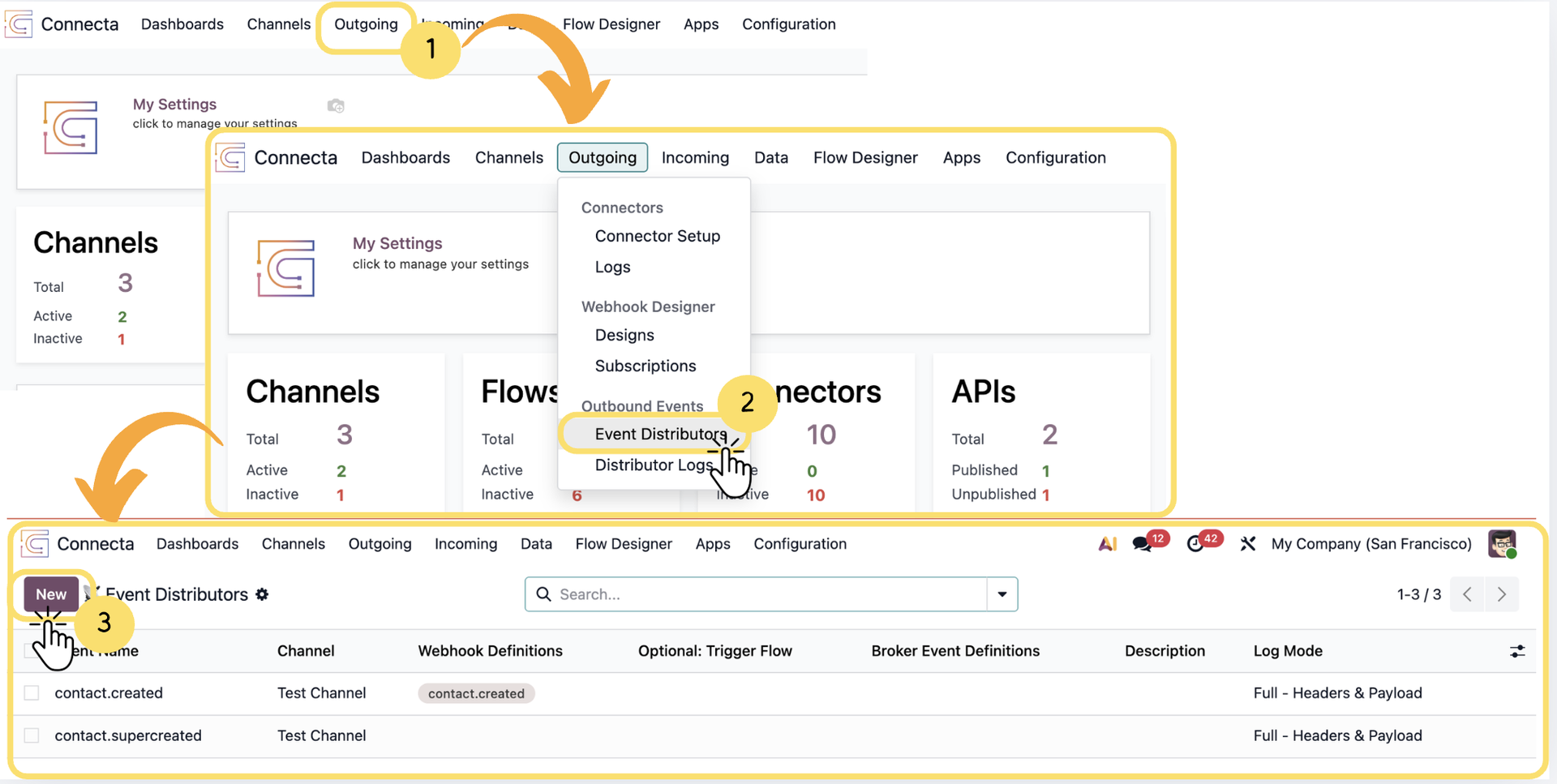
This section explains how to create and configure an Event Distributor in Connecta. Event Distributors are used to route outbound events to brokers, webhook definitions, and subscribers for external integrations and event-driven processing.
1. From the top navigation menu, click Outgoing.
2. Select Event Distributors from the dropdown menu.
3. Click New to create a new Event Distributor configuration.
Unlock the full Connecta experience
Join Connecta and discover the number one connection suite for Odoo. Access full documentation, guides, and integration knowledge.
Join Connecta now