How to Create a Scheduled Flow in Connecta
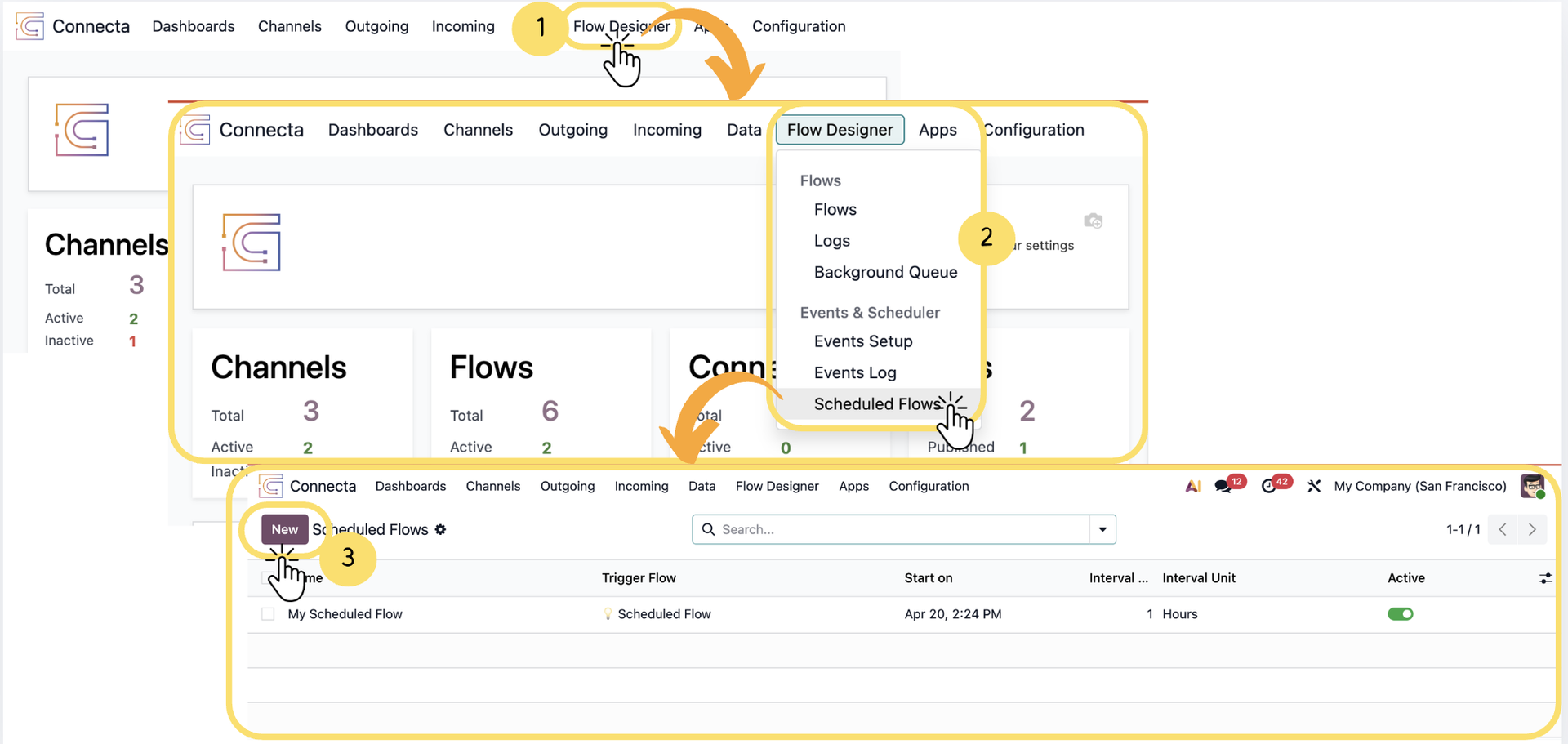
This guide walks you through setting up a Scheduled Flow, which allows you to automatically trigger a flow at defined time intervals (e.g., every hour, daily, etc.).
1. From the top navigation menu, click on Flow Designer.
2. select Scheduled Flows (under Events & Scheduler).
3. On the Scheduled Flows screen, click the New button to create a new scheduled flow.
4.
Unlock the full Connecta experience
Join Connecta and discover the number one connection suite for Odoo. Access full documentation, guides, and integration knowledge.
Join Connecta now