How to Create and Configure a Settings Panel in Connecta
Whenever you create an app, you most likely ship it with a Settings Panel the customer can use to configure your app.
Settings Panels provide a structured and user-friendly interface for organizing configuration options, exposing variables, and allowing users to interact with flows, connectors, mappings, and other Connecta resources. By using panel versions and reusable components, you can build guided configuration experiences while maintaining version control and supporting easy updates over time.
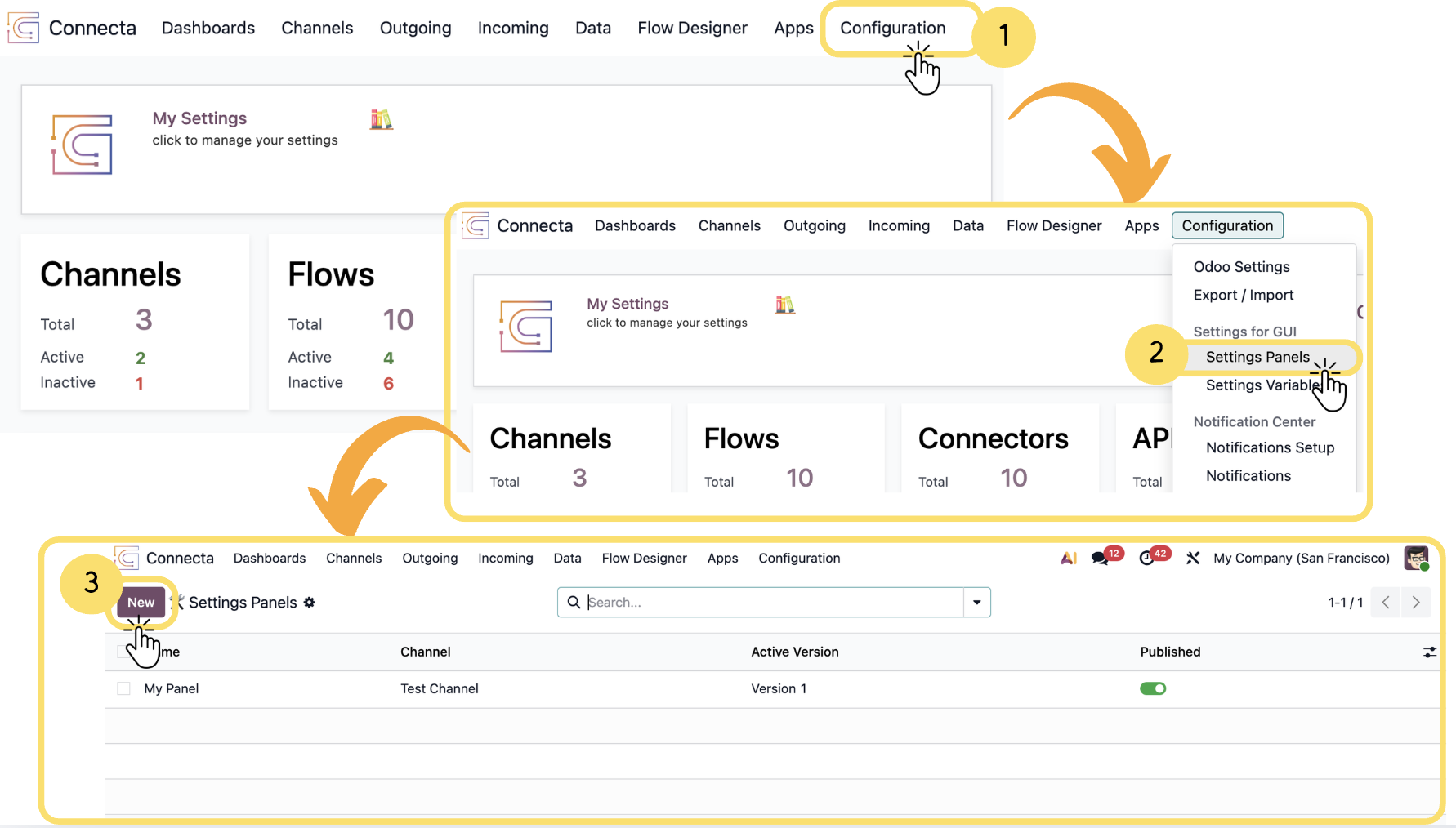
1. From the top navigation menu, click Configuration.
2. Select Settings Panels from the dropdown menu.
3.
Unlock the full Connecta experience
Join Connecta and discover the number one connection suite for Odoo. Access full documentation, guides, and integration knowledge.
Join Connecta now