How to Create a New API Design in Connecta
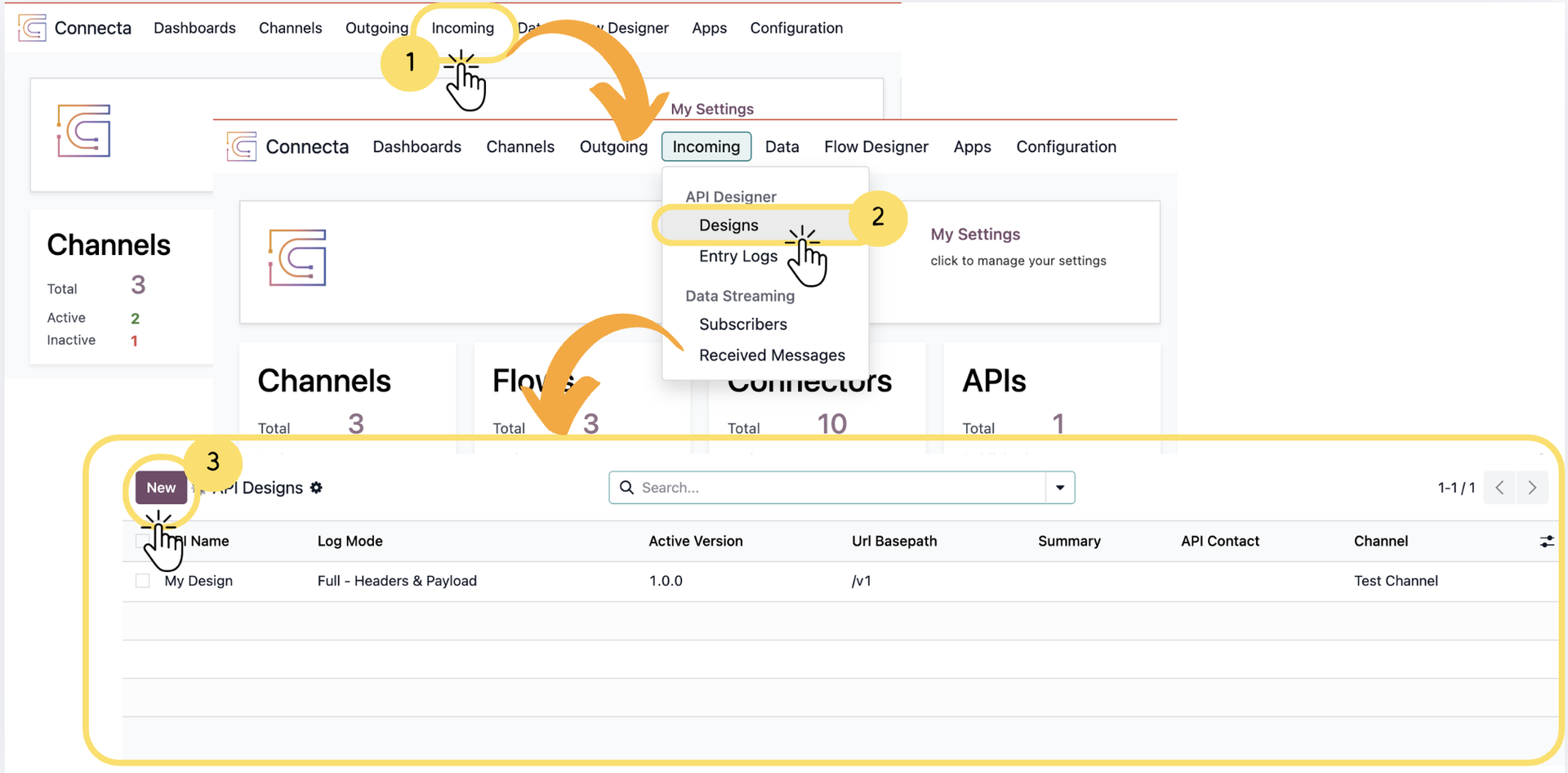
This guide provides a complete walkthrough on how to create and configure an API Design in Connecta, starting from initial setup to defining endpoints, operations, security, and reusable components. It explains how incoming data is structured, processed, and routed through flows to ensure seamless integration between external systems and Odoo.
By following this guide, you will understand how to build a fully functional API using Connecta’s API Designer, including versioning, endpoint configuration, request handling, and security setup—all within a structured and scalable framework.
Note
If you prefer a quicker setup for handling incoming requests, you can also create an incoming webhook using the Quick Create feature. Refer to the article: How to Create an Incoming Webhook via Quick Create in Connecta.
1. Go to the top menu and click on Incoming
2.
Unlock the full Connecta experience
Join Connecta and discover the number one connection suite for Odoo. Access full documentation, guides, and integration knowledge.
Join Connecta now