Flow Builder
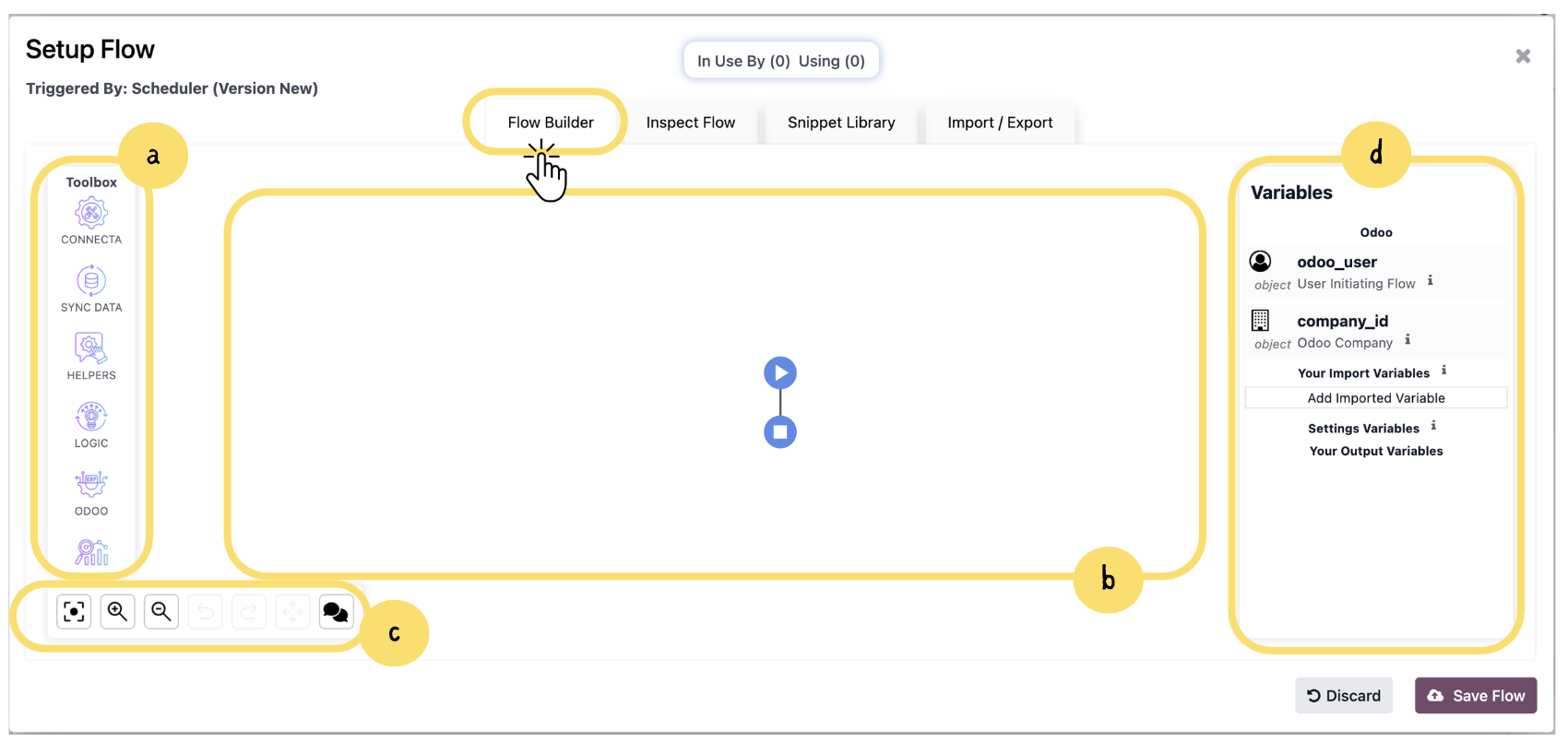
This section gives a quick overview of the Flow Builder interface and how to use it to design your workflow. You will learn how to add components from the Toolbox, arrange them on the canvas, and configure their settings to build and manage your flow efficiently.
a. The Toolbox on the left side provides all available components that can be used to build your flow. These are grouped into categories such as Connecta, Sync Data, Helpers, Logic, and Odoo.
Info
The Sync Data and Connecta sections shown above are just examples of available categories in the Toolbox. Each category groups related actions to help you design your flow efficiently.
This means you are not limited to a single category—flows are typically built by combining components from multiple categories depending on the logic and integration requirements.
Unlock the full Connecta experience
Join Connecta and discover the number one connection suite for Odoo. Access full documentation, guides, and integration knowledge.
Join Connecta now