How to Create a New Sync Setups in Connecta
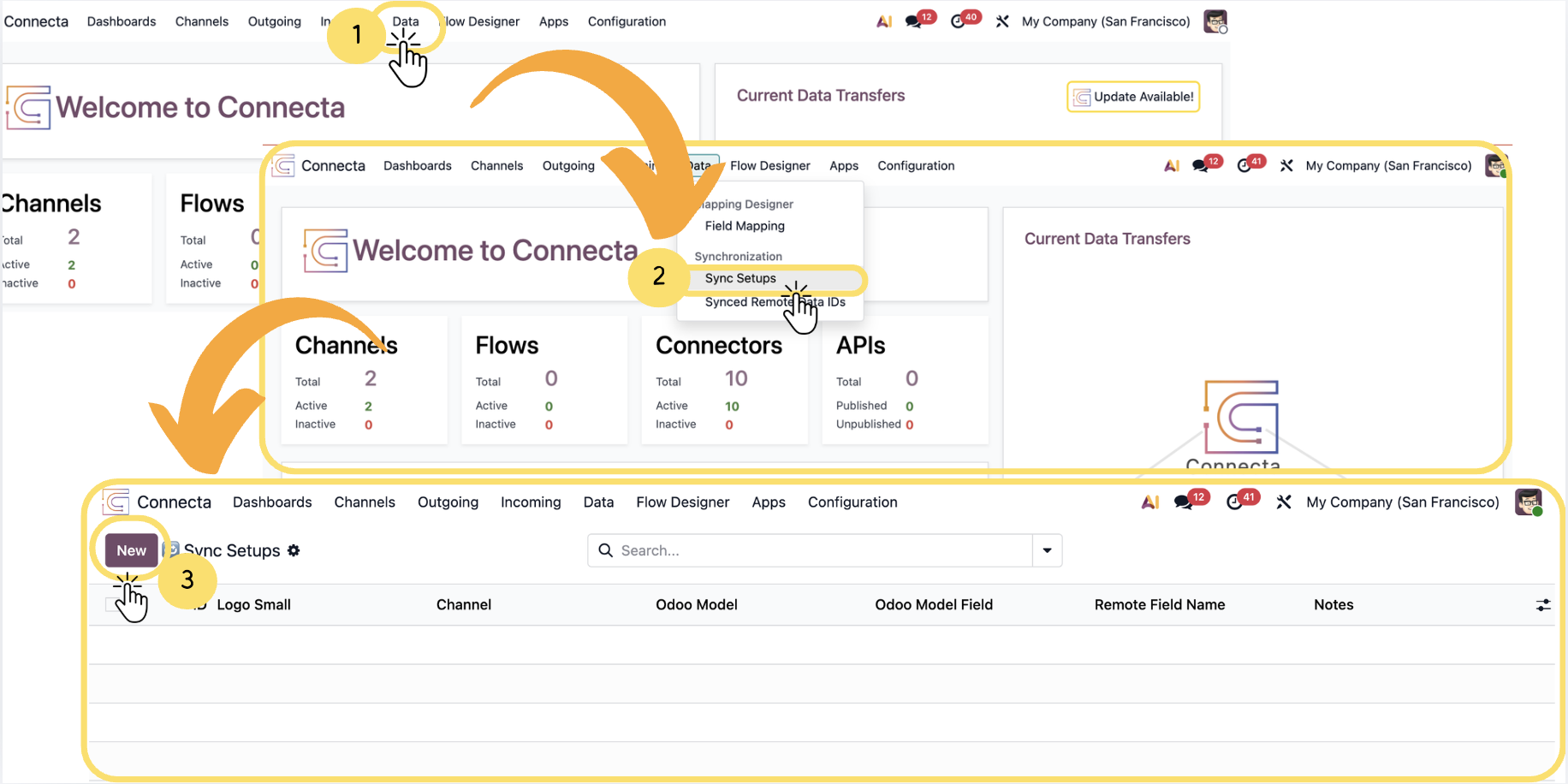
This article explains how to create and configure Sync Setups in Connecta within Odoo. Sync Setups are used to establish a connection between Odoo records and external systems by defining how data is mapped and synchronized between both platforms.
By following this process, you will be able to configure synchronization rules, map model fields, and ensure that records remain consistent across systems. This helps enable seamless data exchange, allowing updates in one system to be accurately reflected in the other.
1. Click Data in the top navigation menu of Odoo ERP Connecta.
2. From the dropdown menu, select Sync Setups.
Unlock the full Connecta experience
Join Connecta and discover the number one connection suite for Odoo. Access full documentation, guides, and integration knowledge.
Join Connecta now