How to Create and Configure a Flow in Connecta
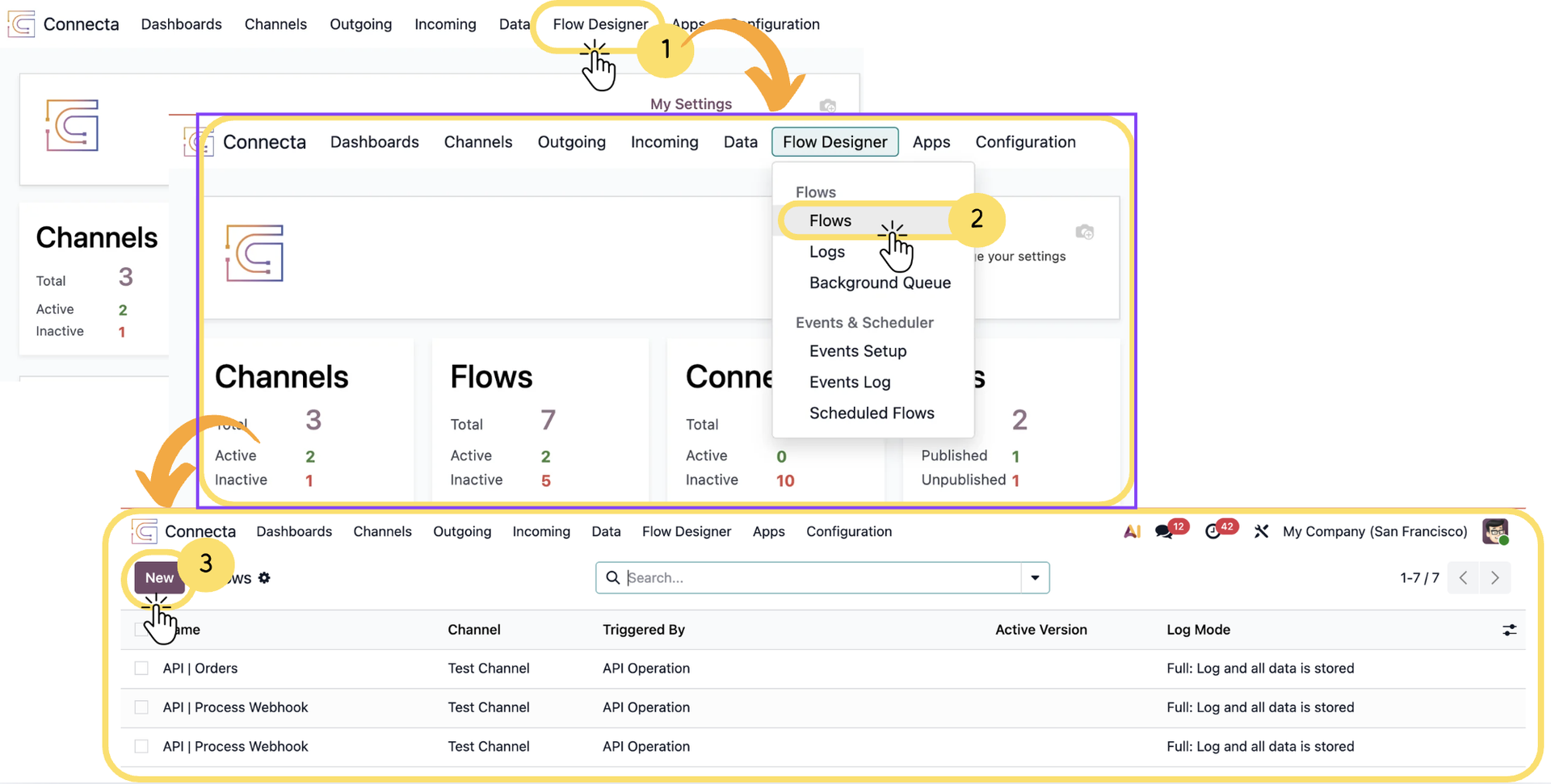
This guide walks you through the complete process of creating and managing a Flow in Connecta, from initial setup to building and testing your automation logic. You will start by defining the basic flow configuration, such as its name, trigger, and execution behavior, and then move on to creating flow versions where the actual logic is designed using the Flow Builder.
Along the way, you will also understand how versions and logs help you manage changes and monitor executions, ensuring your flow works as expected. By the end of this guide, you will be able to create a fully functional flow, configure its logic, and test it for real-time execution.
1. From the top navigation, click Flow Designer
2. Select Flows from the dropdown
Unlock the full Connecta experience
Join Connecta and discover the number one connection suite for Odoo. Access full documentation, guides, and integration knowledge.
Join Connecta now