Custom Models
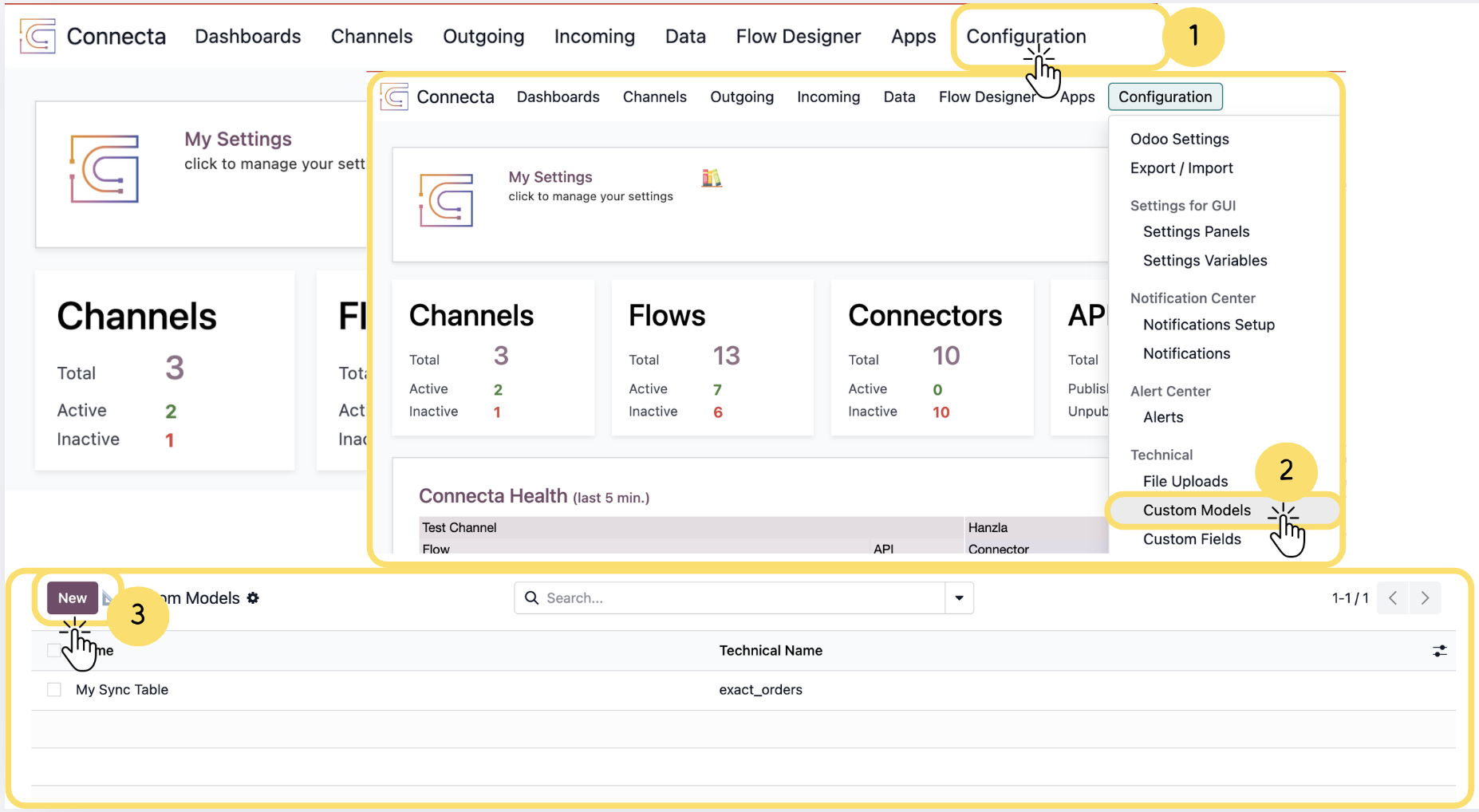
Custom Models allow you to create your own data structures within Connecta without modifying standard Odoo models. They are useful for storing integration-specific information, maintaining custom business data, and creating reusable data sources for Flows, Sync Setups, Mapping configurations, and other Connecta features.
Follow the steps below to create a Custom Model, configure its security and fields, and prepare it for use throughout your Connecta integrations.
1. From the top navigation bar, click Configuration.
2. Under the Technical section, select Custom Models.
3.
Unlock the full Connecta experience
Join Connecta and discover the number one connection suite for Odoo. Access full documentation, guides, and integration knowledge.
Join Connecta now