How to Configure an Event Setup in Connecta
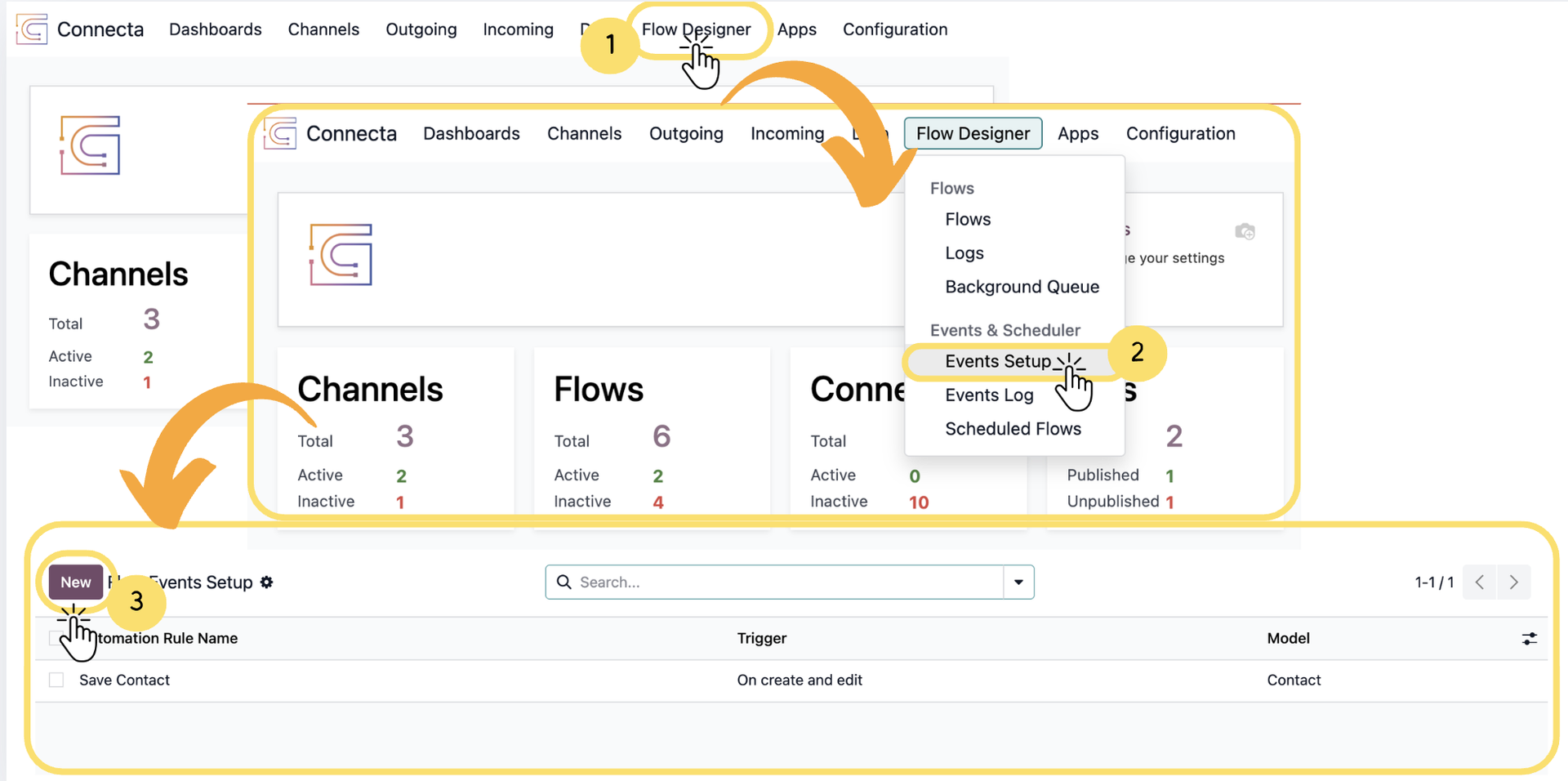
This guide explains how to create and configure Event Setup (automation rules) in Connecta. Event Setup allows you to define when something should happen in the system (trigger) and what action should be executed in response, enabling powerful automation across your workflows.
By using Events Setup, you can respond to changes such as record updates, time-based conditions, external triggers, or user actions, and automatically execute tasks like triggering flows, sending notifications, or updating records. This ensures your processes run efficiently without manual intervention.
This article walks you through the complete process—from defining triggers and conditions to configuring actions—so you can build reliable, event-driven automations tailored to your business needs.
1. Go to Flow Designer from the top navigation
2.
Unlock the full Connecta experience
Join Connecta and discover the number one connection suite for Odoo. Access full documentation, guides, and integration knowledge.
Join Connecta now