How To Start New Incoming Map Version
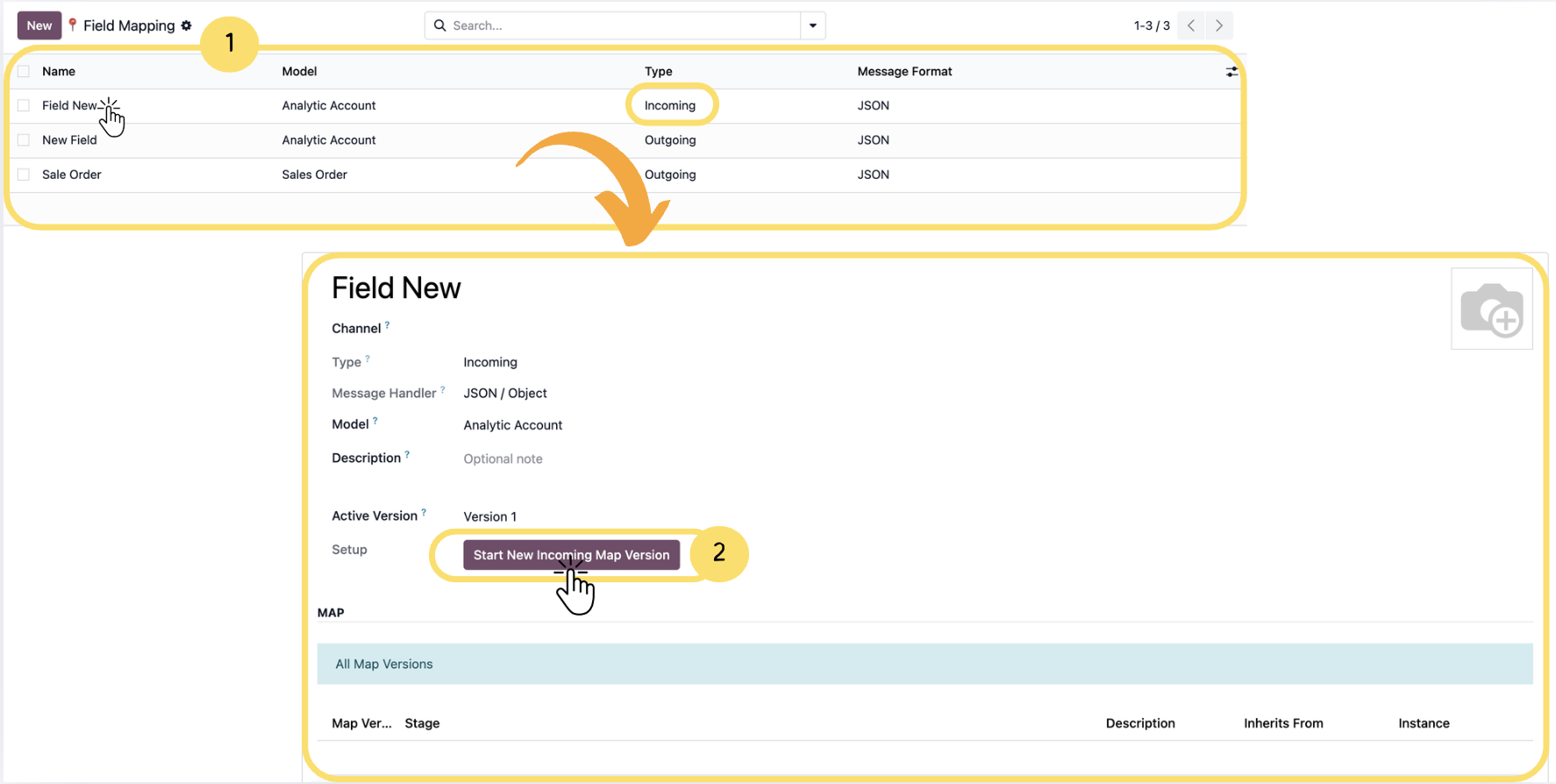
This article explains how to start and configure a New Incoming Map Version in Connecta. It guides you through selecting an existing field mapping, creating a new incoming mapping version, and defining how incoming JSON messages should be processed.
The article also covers validating the incoming message, automatically generating field mappings from the JSON structure, configuring field mapping options, applying functions for data transformation, and using the import/export feature to manage mapping configurations.
Important : Before starting the configuration, ensure that a Field Map already exists in the Field Mapping list. If you do not have one, refer to the section How to Create a New Field Mapping in Connecta
1. From the Field Mapping list, select the mapping you want to configure by clicking on its Name.
Unlock the full Connecta experience
Join Connecta and discover the number one connection suite for Odoo. Access full documentation, guides, and integration knowledge.
Join Connecta now