How to View and Analyze Flow Logs in Connecta
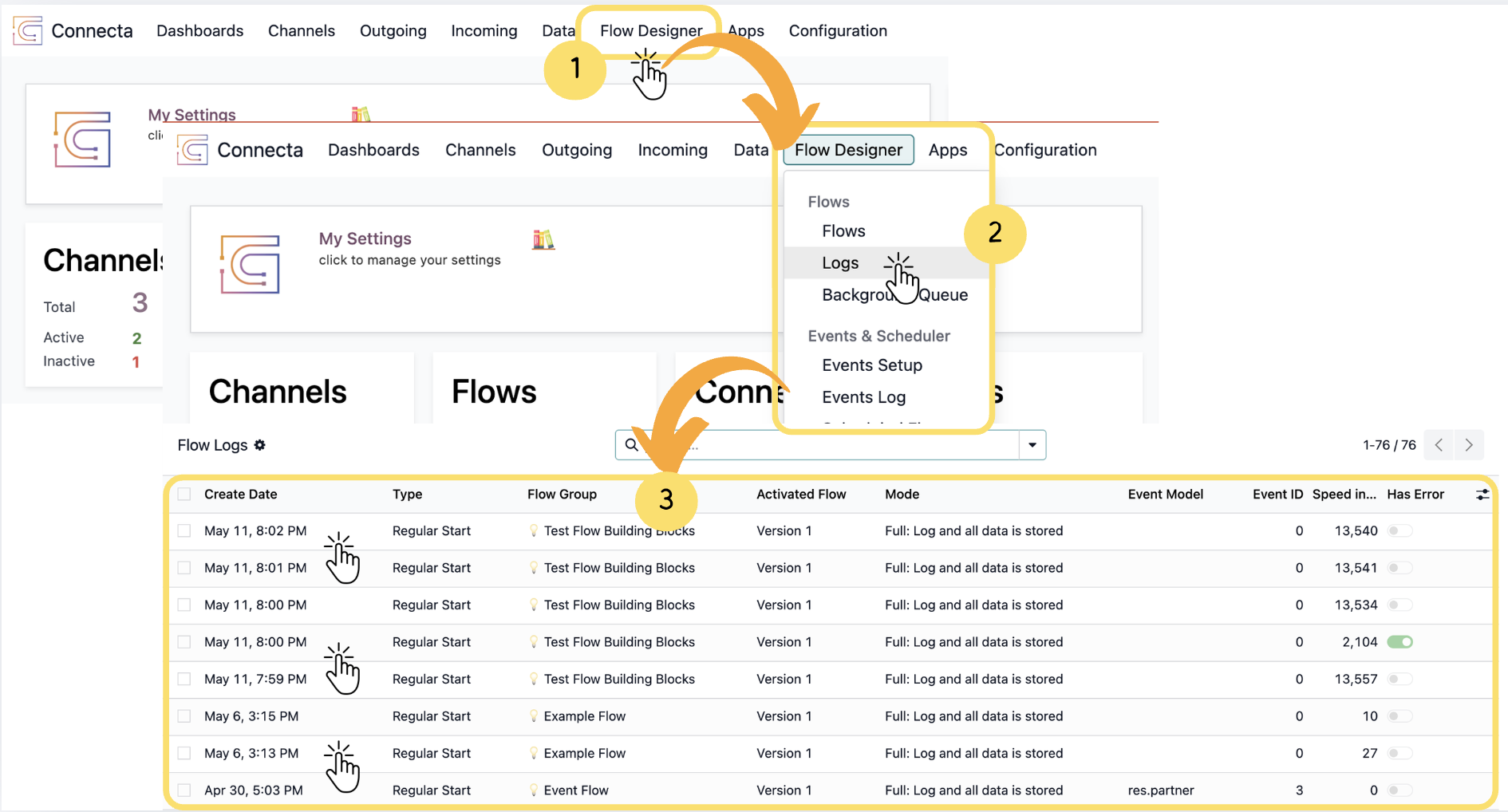
The Flow Logs section allows you to monitor flow executions, review task-level activity, and troubleshoot issues during runtime. It provides detailed visibility into how each flow was processed and helps validate execution behavior.
1. From the top navigation, click Flow Designer.
2. Select Logs from the dropdown menu to open the Flow Logs section.
Info
The logs displayed in this section are generated from flows created in theFlowssection of Connecta. Each log entry represents an execution record of an existing flow version.
Unlock the full Connecta experience
Join Connecta and discover the number one connection suite for Odoo. Access full documentation, guides, and integration knowledge.
Join Connecta now