How to Create a New Settings Variable
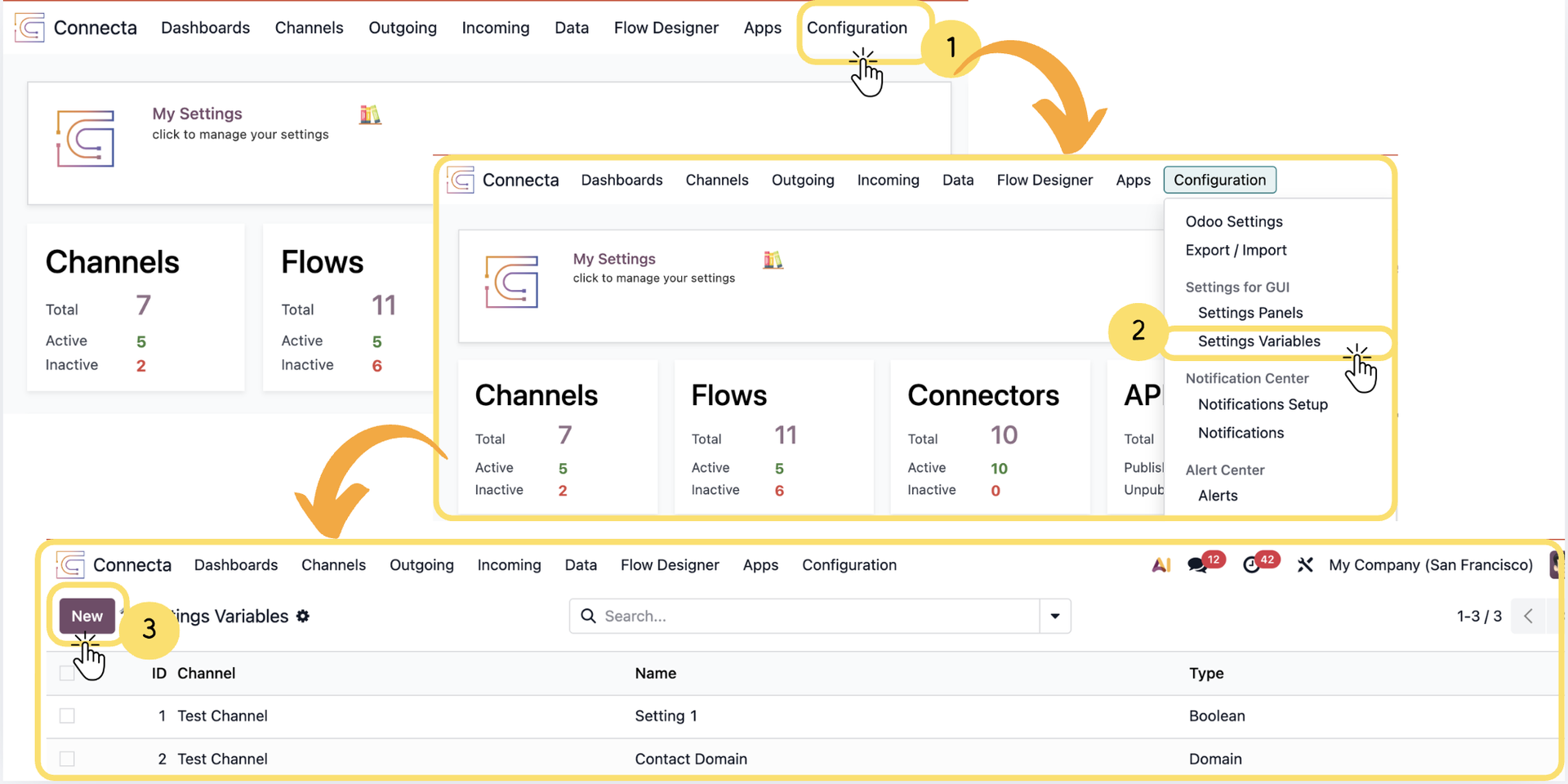
Settings Variables provide a centralized way to store configurable values that can be reused throughout Connecta. They allow administrators to define application settings, expose configuration options through Settings Panels, and reference those values within Flows, integrations, and other Connecta components.
Each Settings Variable has a specific Type, which determines the kind of data it stores and how it is presented to users. By configuring the appropriate type and its associated values, you can create flexible, reusable settings that simplify configuration management while allowing users to customize application behavior without modifying the underlying system. The following steps explain how to create a new Settings Variable, configure its properties, and define its initial values.
1. From the top navigation menu, click Configuration.
2.
Unlock the full Connecta experience
Join Connecta and discover the number one connection suite for Odoo. Access full documentation, guides, and integration knowledge.
Join Connecta now