Key/ Label Odoo Actions
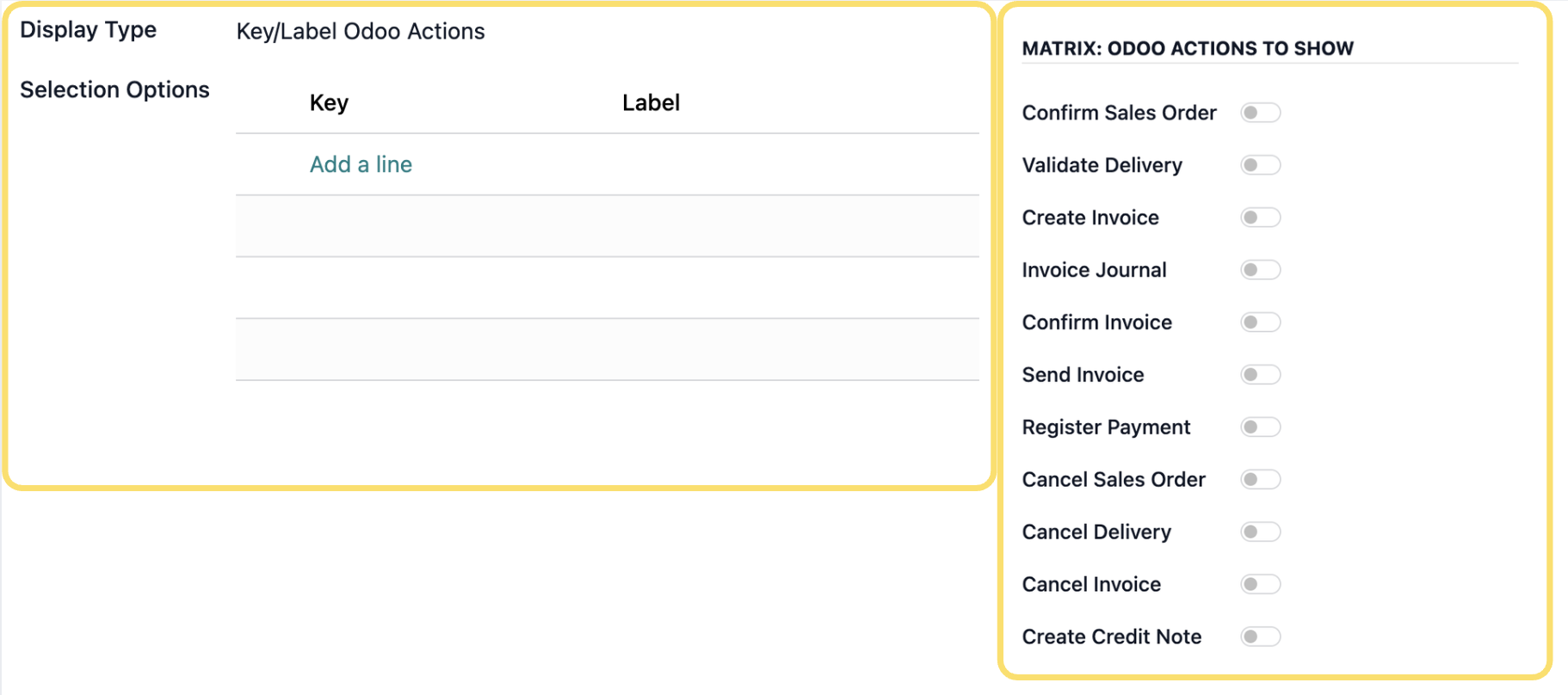
The Key/Label Odoo Actions display type allows you to configure a list of predefined Odoo actions that users can individually enable or disable. These actions are presented as a matrix of toggle controls, giving users the flexibility to determine which actions should be available or executed within a process. After selecting Key/Label Odoo Actions as the display type, define the available actions by specifying their corresponding keys and labels.
Configure the following settings as required:
-
Display Type – Select Key/Label Odoo Actions to configure the Settings Variable as a list of Odoo actions that can be individually enabled or disabled.
-
Selection Options – Define the available Odoo actions by clicking Add a line and configuring the following values:
-
Key – Enter the internal value used to identify the Odoo action.
- Label – Enter the user-friendly name that will be displayed in the Settings Panel.
-
Key – Enter the internal value used to identify the Odoo action.
The configured options will be presented as a matrix of toggle controls, allowing users to enable or disable specific Odoo actions individually.
Unlock the full Connecta experience
Join Connecta and discover the number one connection suite for Odoo. Access full documentation, guides, and integration knowledge.
Join Connecta now