Alerts
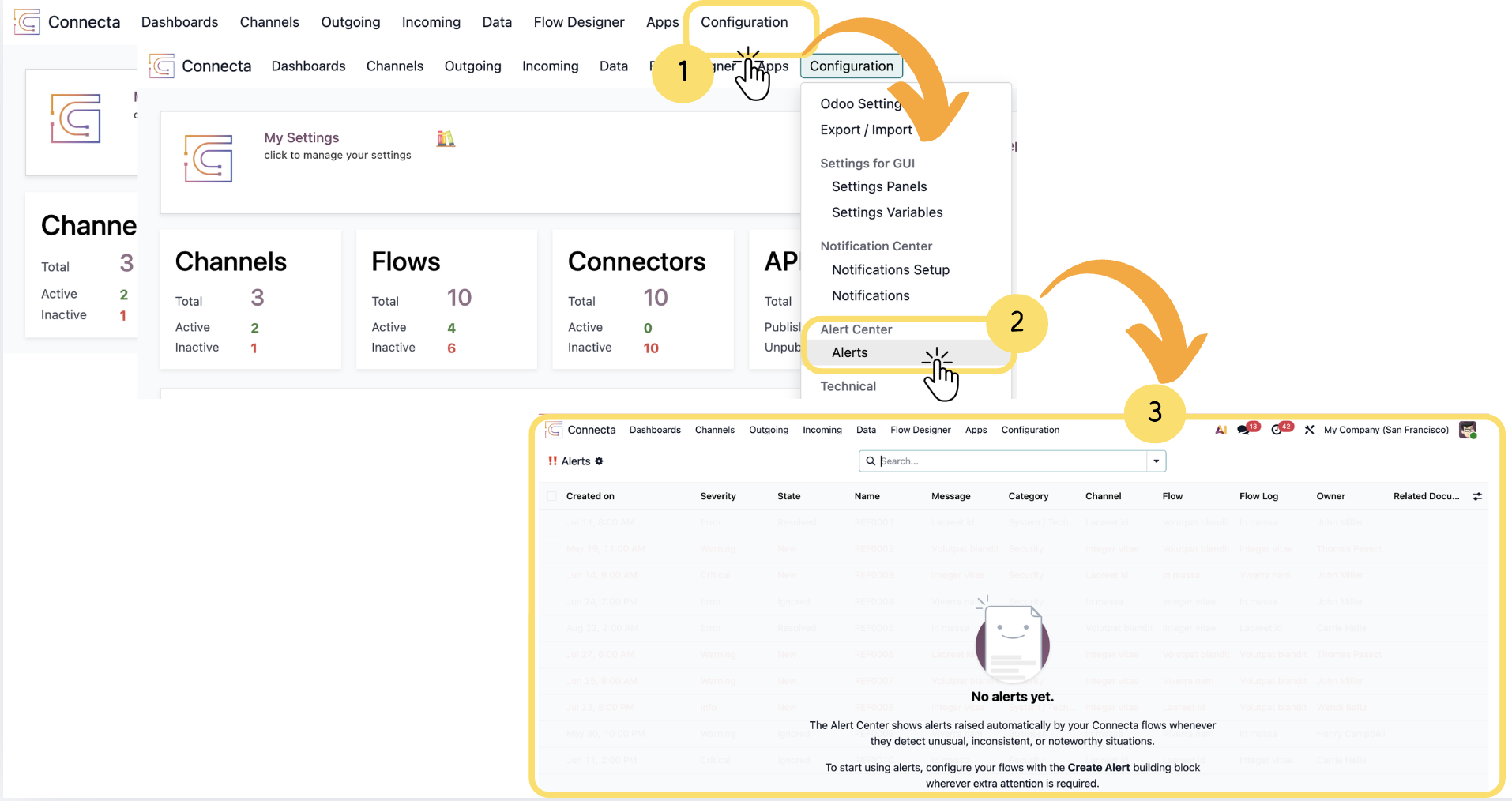
The Alert Center provides a centralized location for monitoring and managing alerts generated by your Connecta Flows. Alerts help notify users when important events, exceptions, warnings, or other conditions occur during Flow execution, making it easier to identify issues and track operational activities.
This article explains how to access the Alert Center, configure the Create Alert building block within a Flow, generate alerts during Flow execution, and manage the resulting alerts through their lifecycle. By following these steps, you will be able to create meaningful alerts, review their details, update their status, and collaborate with other users to investigate and resolve issues efficiently.
1. From the top navigation bar, click Configuration.
2. Under the Alert Center section, select Alerts.
Unlock the full Connecta experience
Join Connecta and discover the number one connection suite for Odoo. Access full documentation, guides, and integration knowledge.
Join Connecta now