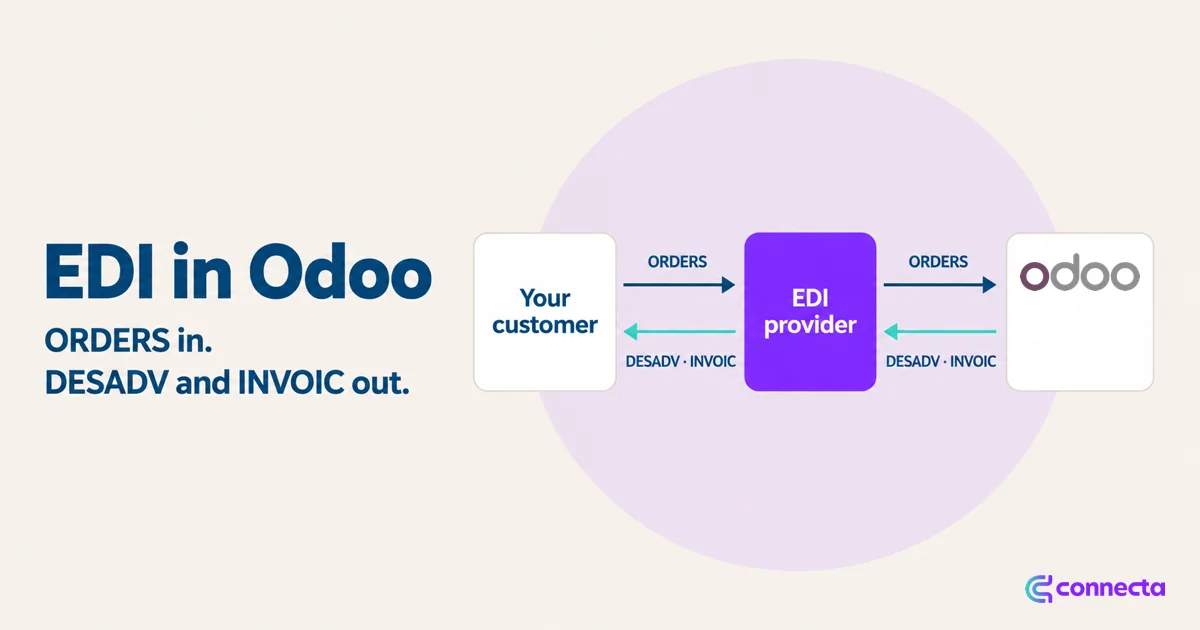
The email from your customer's purchasing department is short: "From now on, orders, delivery notes and invoices go through EDI." No more PDF orders by email. Everything travels as structured messages, and their systems process them without anyone typing.
If you supply a large wholesaler or retailer, sooner or later you get that email, and so does your Odoo partner.
Standard Odoo covers part of it. Since version 18, it can read a purchase order sent as a UBL file and create the quotation from it, and it sends invoices over Peppol. What it does not read is EANCOM, or the XML that an EDI provider sends. Here is what it takes.
What are ORDERS, DESADV and INVOIC?
Most supplier EDI starts with three message types. The names come from the UN/EDIFACT standard, even when the actual format is XML.
| Message | Direction | What it is | In Odoo |
|---|---|---|---|
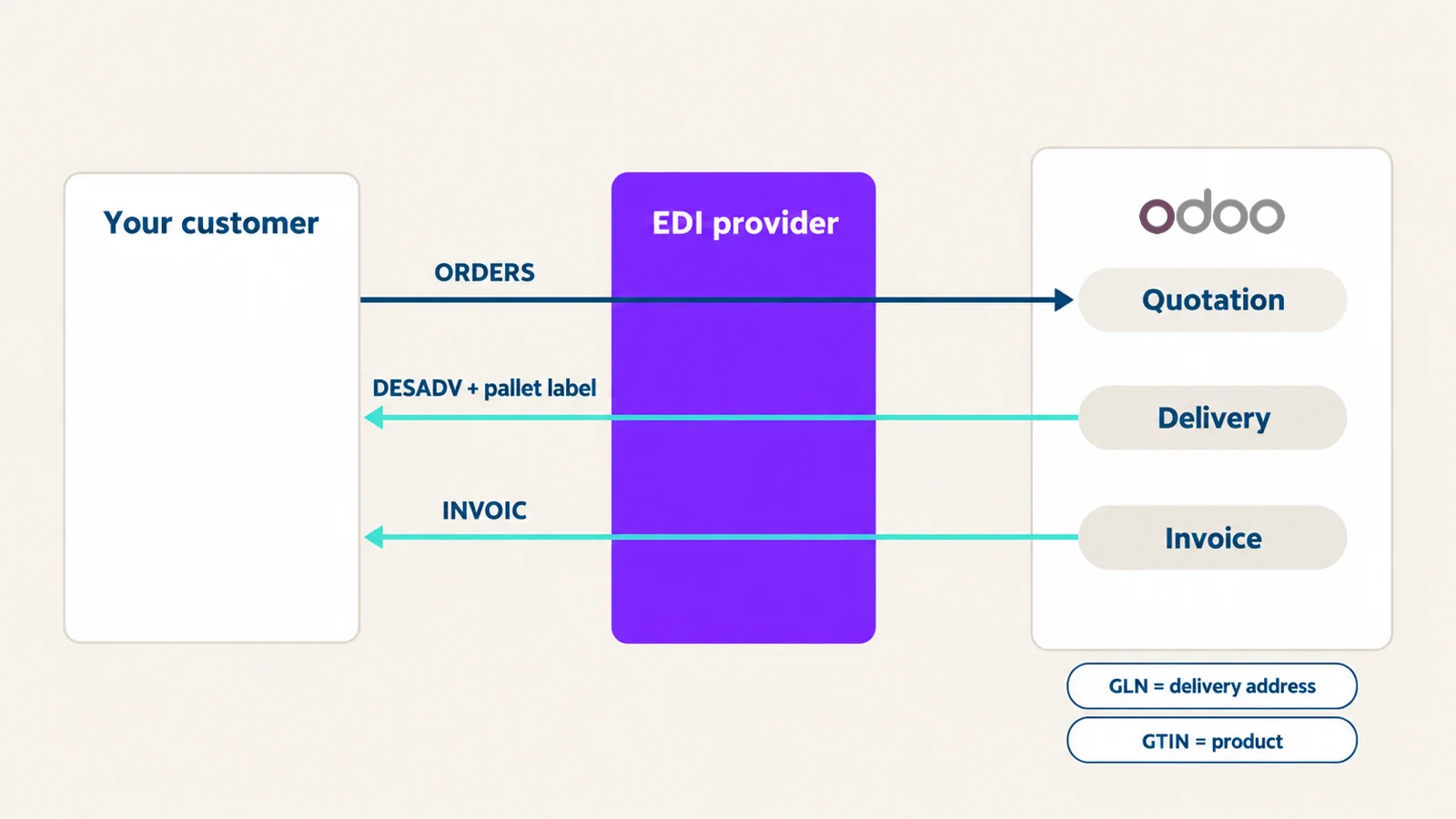
| ORDERS | In | The customer's purchase order | A quotation (draft sales order) |
| DESADV | Out | Despatch advice: what you are delivering, in which packaging | A delivery |
| INVOIC | Out | The invoice | A customer invoice |
Often a fourth one follows: the pallet or shipping label, so the receiving warehouse can scan what arrives.
Which other messages might your customer ask for?
Your customer's EDI guidelines say which messages it uses. EANCOM, the GS1 subset of UN/EDIFACT, has more of them, such as:
- ORDRSP (order response): your answer to the order, to accept or change it.
- RECADV (receiving advice): what your customer's warehouse actually received.
- PRICAT (price/sales catalogue): your product and price list.
- INVRPT (inventory report): stock levels.
Ask for that list of messages before you start. Each extra message is one more mapping to build and test.
Which numbers does EDI use to match customers and products?
EDI does not use your customer names or your product names. It uses GS1 numbers:
- GLN (Global Location Number) identifies a company or a delivery location. Each of your customer's delivery addresses has one.
- GTIN (the number behind the barcode) identifies a product and its packaging level.
Your customer assigns the GLNs of its own delivery locations and can give you the list. GTINs are assigned by the brand owner, who needs a GS1 Company Prefix: you, for your own brands, and the wholesaler, for products sold under its label. In Odoo, a product's GTIN goes in its barcode, set on each variant, and each packaging level, such as a case, has its own barcode field.
So before the first message, every customer address in Odoo needs its GLN, and every product its GTIN. That is most of the work in an EDI project, and it is work no software can do for you.
What did we build with Type 2 Solutions?
A food supplier on Odoo needed EDI with a foodservice wholesaler. The messages run through Type 2 Solutions, an EDI service provider, as XML defined by their XSD schemas. We gave the schemas to Claude, which was connected to Connecta's MCP server, and reviewed what it built. The story of that build is in From XSD to a live integration.
The result is one settings panel in Odoo with four tabs: Connection, Messages, Schedule and Settings.
- Orders in. An incoming ORDERS file creates a draft sales order, a quotation in Odoo terms. The customer is found by GLN, the products by GTIN. Automatic retrieval is the next step, once the provider's pick-up address is known.
- Despatch advice out. When a delivery is validated in Odoo, a DESADV is created from it. A pallet label message goes with the DESADV.
- Invoice out. When an invoice is posted, an INVOIC is created.
- Sending. Automatically, one minute after validation (so a correction made right after is still included), on an hourly schedule, or with a "Send now" button.
What limits did we set?
EDI mistakes are expensive: a wrong invoice lands in someone else's payment run. So the connection has hard limits.
- Only customers with a GLN from the wholesaler's range receive messages.
- Only products selected for EDI are included.
- Each delivery and each invoice is sent once. Already sent means skipped.
- While the connection proves itself, a run sends at most 10 deliveries and 10 invoices.
- A "Test connection" button and a "Send test delivery" button let you check before anything real goes out.
What should you prepare before an EDI project?
- Ask your customer which provider and which message standard they use.
- Get the GLNs for every delivery address and the GTINs for every product and packaging level.
- Ask for the schemas and a few real example messages.
- Decide who in your team watches the outgoing messages in the first weeks.
Frequently asked questions
Does Odoo support EDI out of the box?
Partly. Since version 18, standard Odoo can read a purchase order sent as a UBL file, and it sends and receives e-invoices over Peppol. For EANCOM messages, or the XML an EDI provider sends, you need an app or a connection like the one we built with Type 2 Solutions.
What is a DESADV?
The despatch advice. It tells your customer what you are sending, and in which packaging, before the goods arrive. In the Type 2 Solutions connection, it is created from a validated delivery in Odoo.
Where do the GLNs and GTINs come from?
Your customer gives you the GLNs of its delivery locations. GTINs are assigned by the brand owner, with a GS1 Company Prefix: you for your own brands, the wholesaler for products under its label.
Is EDI the same as Peppol?
No. Odoo uses the Peppol network for e-invoices. EDI here means orders in, and despatch advice and invoices out, through an EDI provider. The next article compares the two.
An EDI request doesn't have to take the work out of Odoo. Orders become quotations. The despatch advice and the invoice message come from the deliveries and invoices your team already handles in Odoo. And the whole connection is set up in one panel.
Next: EDI or Peppol? What Odoo users need to know
See the EDI panel
If one of your customers is being asked for EDI, book a demo and we'll show you the panel.
Book a demo