Odoo Visma eAccounting / Spiris Connector
Connect Odoo with Visma eAccounting / Spiris using the Connecta Odoo Visma eAccounting / Spiris connector. This integration automates supported data flows between Odoo and Visma eAccounting / Spiris while keeping the configuration, mappings and synchronization logic manageable inside Connecta.
Odoo and Visma eAccounting, working together
Connect Odoo with Visma eAccounting (Spiris) through the official Visma API with secure OAuth2 login.
What the app does
- Customers and suppliers Odoo → Visma: new and changed relations are created or updated in Visma, automatically on save or in a manual batch. Required Visma fields are checked first, with a clear message when data is missing.
- Customers and suppliers Visma → Odoo: import and link existing Visma relations, without duplicates.
- Sales invoices Visma → Odoo: retrieve, validate and import invoices as Odoo drafts, including foreign currencies, VAT-free and reverse-charge lines, cost centers and projects.
- Supplier invoices Visma → Odoo: retrieve, validate and import as draft vendor bills.
- Sales invoices Odoo → Visma: preview, create a Visma draft and finalize it after review.
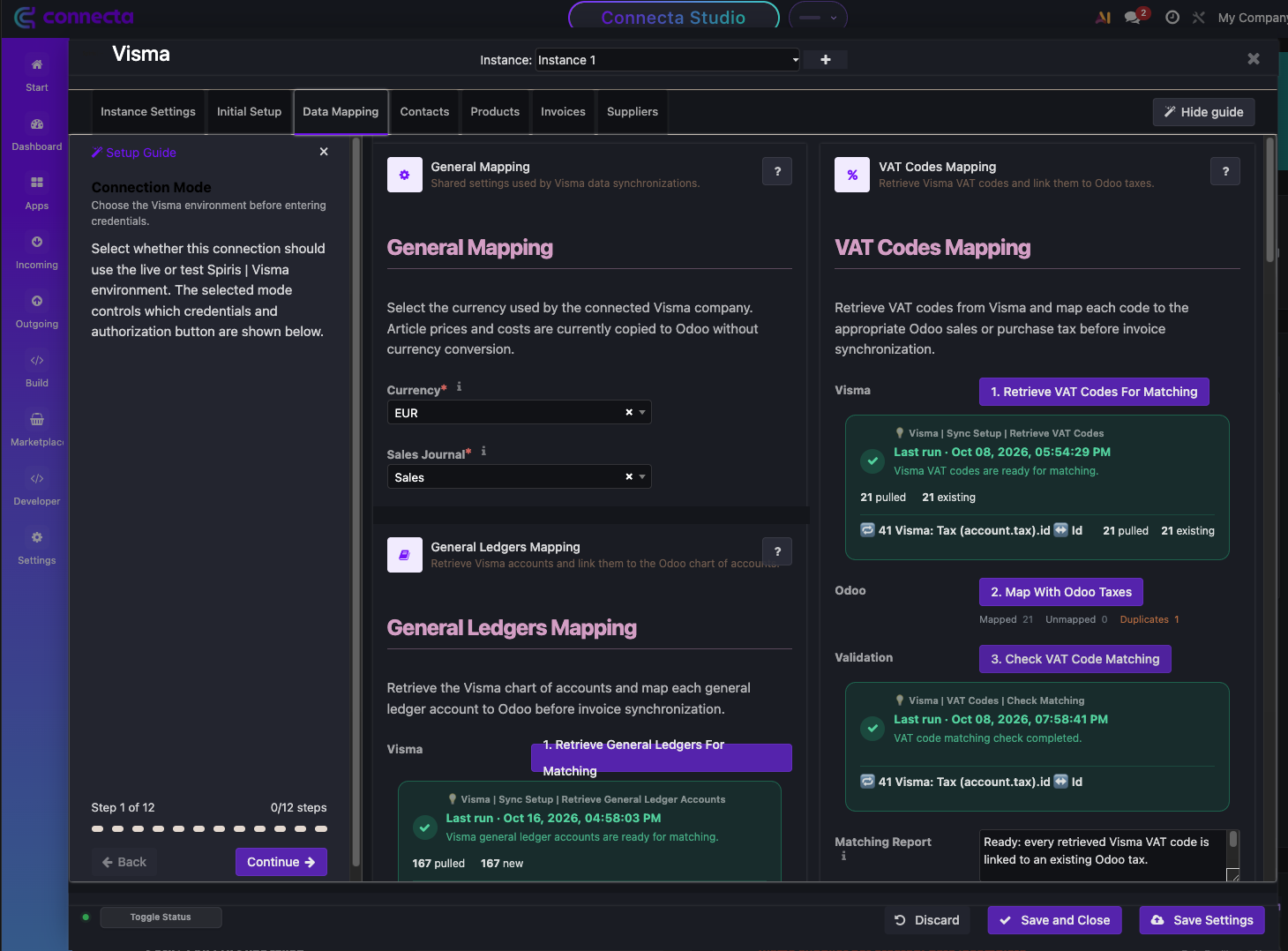
- Master data matching: general ledger accounts, VAT codes, payment terms, cost centers, projects and articles, each with a matching report.
Built for accountants
Nothing is guessed: every invoice is validated against your mappings before import, blocked invoices show the exact reason, and imported invoices stay in draft for review.
Setup
Authorize your Visma company, link the master data in the guided settings panel, and choose which flows run automatically.
How the Odoo Visma eAccounting / Spiris connector works
Connecta manages the connection between Odoo and Visma eAccounting / Spiris through configured connectors, mappings, flows and synchronization setups. The supported synchronization objects below show which business data can move in each direction for this connector.
Odoo Visma eAccounting / Spiris Integration: Supported Data Flows
Which Visma product is supported?
Visma eAccounting, also sold as Spiris, through the official eAccounting API v2.
Are invoices booked automatically in Odoo?
No. Invoices from Visma are validated and imported as drafts so you can review them before posting.
What happens when data is missing?
The record is not sent. The synchronization status and an alert show exactly which field or mapping is missing.
Can I test before going live?
Yes. The app supports a Visma test (sandbox) and live connection, selected in the settings panel.