
Odoo Pipedrive Connector
Connect Odoo with Pipedrive using the Connecta Odoo Pipedrive connector. This integration automates supported data flows between Odoo and Pipedrive while keeping the configuration, mappings and synchronization logic manageable inside Connecta.
Pipedrive + Odoo Integration
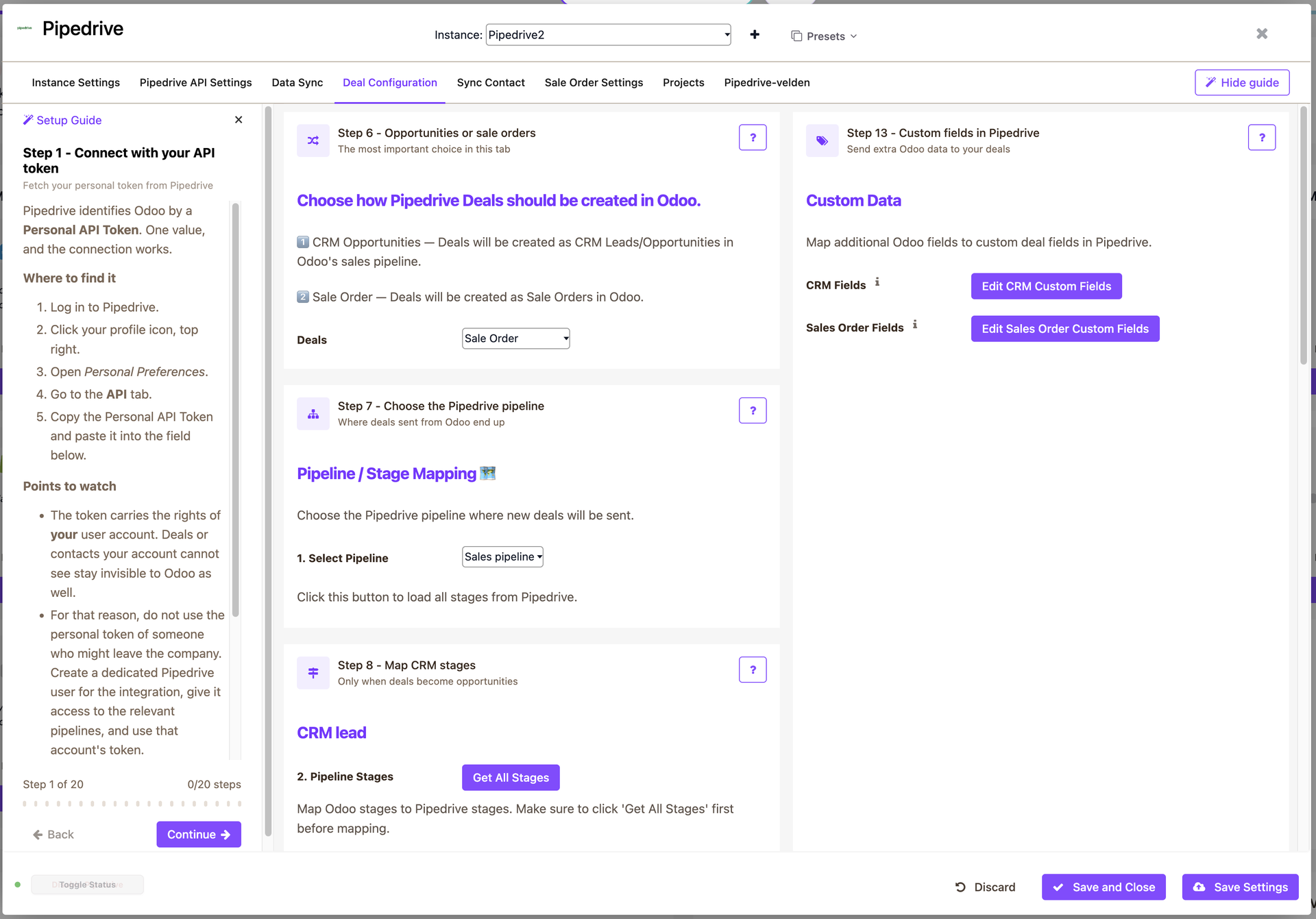
Connect your Pipedrive account to Odoo and automate your entire sales workflow. When a Deal is created or updated in Pipedrive, it instantly appears in Odoo as a CRM Opportunity or a Sales Order, depending on your preference. Contacts are matched automatically by e-mail so no duplicate records are created, and all key Deal fields are mapped and synced in real time via webhooks.
Key Features
- Sync Deals in real time via Pipedrive webhooks
- Choose where Deals land: CRM Opportunity or Sales Order
- Match contacts automatically by e-mail, optionally creating them when not found
- Map Pipedrive pipelines and stages to Odoo CRM stages
- Map standard and custom Pipedrive fields to Odoo fields
- Send Odoo opportunity and sales order updates back to the Pipedrive Deal
- Attach the sales order PDF to the Deal in Pipedrive
- Initial import of all existing contacts, deals and projects
- Configure everything from a dedicated Settings panel inside Odoo
How It Works
- Install the app and enter your Pipedrive API token in the Settings panel.
- Select the pipeline and map its stages to your Odoo CRM stages.
- Choose whether Deals become CRM Opportunities or Sales Orders.
- Run the initial import of contacts and deals.
- From then on, Deal changes are synchronized automatically through webhooks.
Ideal For
Sales teams working in Pipedrive whose company runs on Odoo and who want deals, contacts and orders to stay in sync without manual re-entry.
How the Odoo Pipedrive connector works
Connecta manages the connection between Odoo and Pipedrive through configured connectors, mappings, flows and synchronization setups. The supported synchronization objects below show which business data can move in each direction for this connector.
Odoo Pipedrive Integration: Supported Data Flows
Do Pipedrive Deals become Opportunities or Sales Orders in Odoo?
You choose. In the Settings panel you select whether an incoming Deal is created as a CRM Opportunity or as a Sales Order in Odoo.
How are contacts matched?
Contacts are matched on e-mail address. If no matching contact exists you can let the app create it automatically, or leave the deal unlinked so you can assign the contact manually.
Does the sync work in both directions?
Yes. Deal changes in Pipedrive are pushed to Odoo via webhooks, and changes to the linked Odoo opportunity or sales order are sent back to the Pipedrive Deal. The sales order PDF can also be attached to the Deal.
What do I need to connect?
A Pipedrive API token, which you enter in the Settings panel in Odoo. The app registers the required Pipedrive webhooks for you.